




Repairing laptops
Repairing laptops can prolong their useful life.
On campus, students repaired forty laptops.
Repair is a practical choice when parts cost less than a replacement.
Fictional essay excerpt
AI detectors tell you what might be copied. WhatYouWrote shows what students understand. It turns each student’s essay into a short quiz, built from their own words.
Students open the assignment in their LMS and upload their writing as a PDF, Word document, or text file.
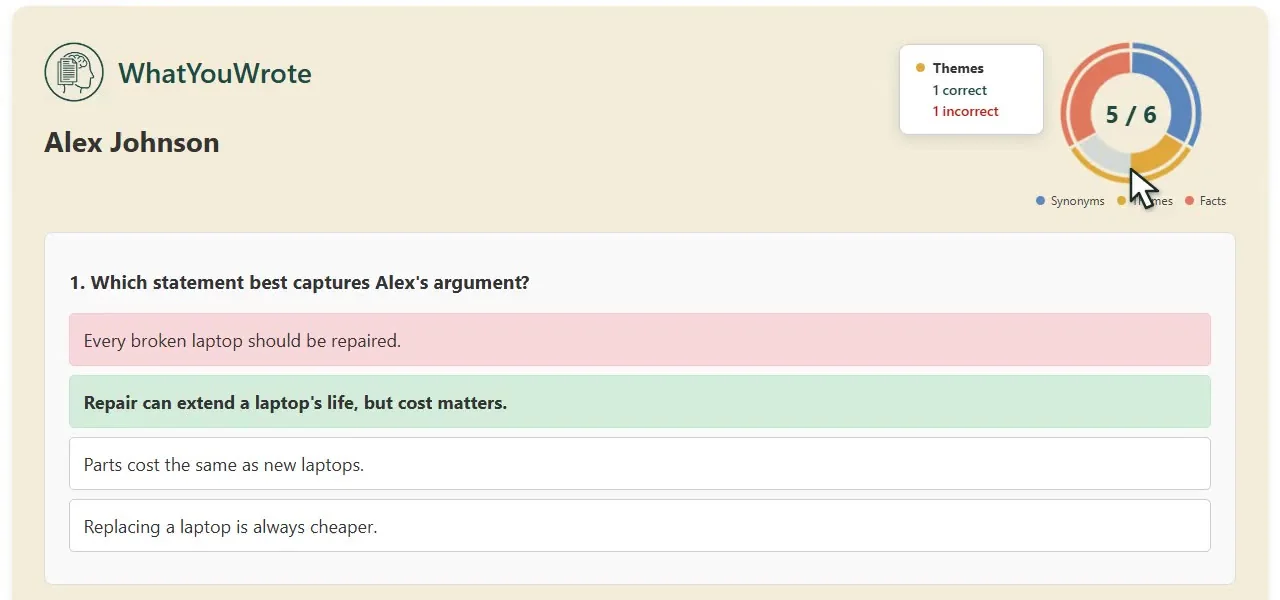
Each student answers multiple-choice questions about the words, details, and themes in their own submission.
See the class results, then open an individual quiz to look at what the student recognized and where they struggled.
Repairing laptops can prolong their useful life.
On campus, students repaired forty laptops.
Repair is a practical choice when parts cost less than a replacement.
Fictional essay excerpt
Students may use AI. They still need to understand what they submit. WhatYouWrote makes that expectation part of the assignment.
| Assessment goal | No AI restrictions | AI detectors | Track student writing | Test student understanding |
|---|---|---|---|---|
| Evidence of comprehension | × | × | − | ✓ |
| Easy to implement | ✓ | ✓ | × | ✓ |
| Low learning loss | × | − | ✓ | ✓ |
| Valuable instructor insight | × | × | − | ✓ |
| Limits AI overreliance | × | − | ✓ | ✓ |
| Supports AI literacy | − | × | × | ✓ |
| Promotes writing thoughtfulness | × | × | − | ✓ |
No. WhatYouWrote asks students questions about their own essay. The responses help you assess their understanding; they do not establish who wrote the essay.
WhatYouWrote integrates through LTI 1.3, across LMS platforms including Canvas, Brightspace, Blackboard, Moodle, Schoology, and Blackbaud. Your LMS administrator registers the tool for your institution. Read about LMS integration.
Yes. Choose 5–30 questions, adjust the mix of Synonyms, Facts, and Themes, set the time per question, and add questions of your own. The settings in place when a student uploads their essay apply to that attempt.
The comprehension check can sit alongside your existing AI policy. Students remain responsible for understanding what they submit, whether or not AI assistance is permitted.
Original uploads are stored privately for 30 days. Completed quiz records have a one-year retention period. Extracted essay text is processed without being saved in the application database. See the data handling overview.
Bring an assignment and a few questions. We'll walk through what your students would see and how you'd review their responses.
LMS integration